How to Read Turbidity Sensors in Industrial Applications
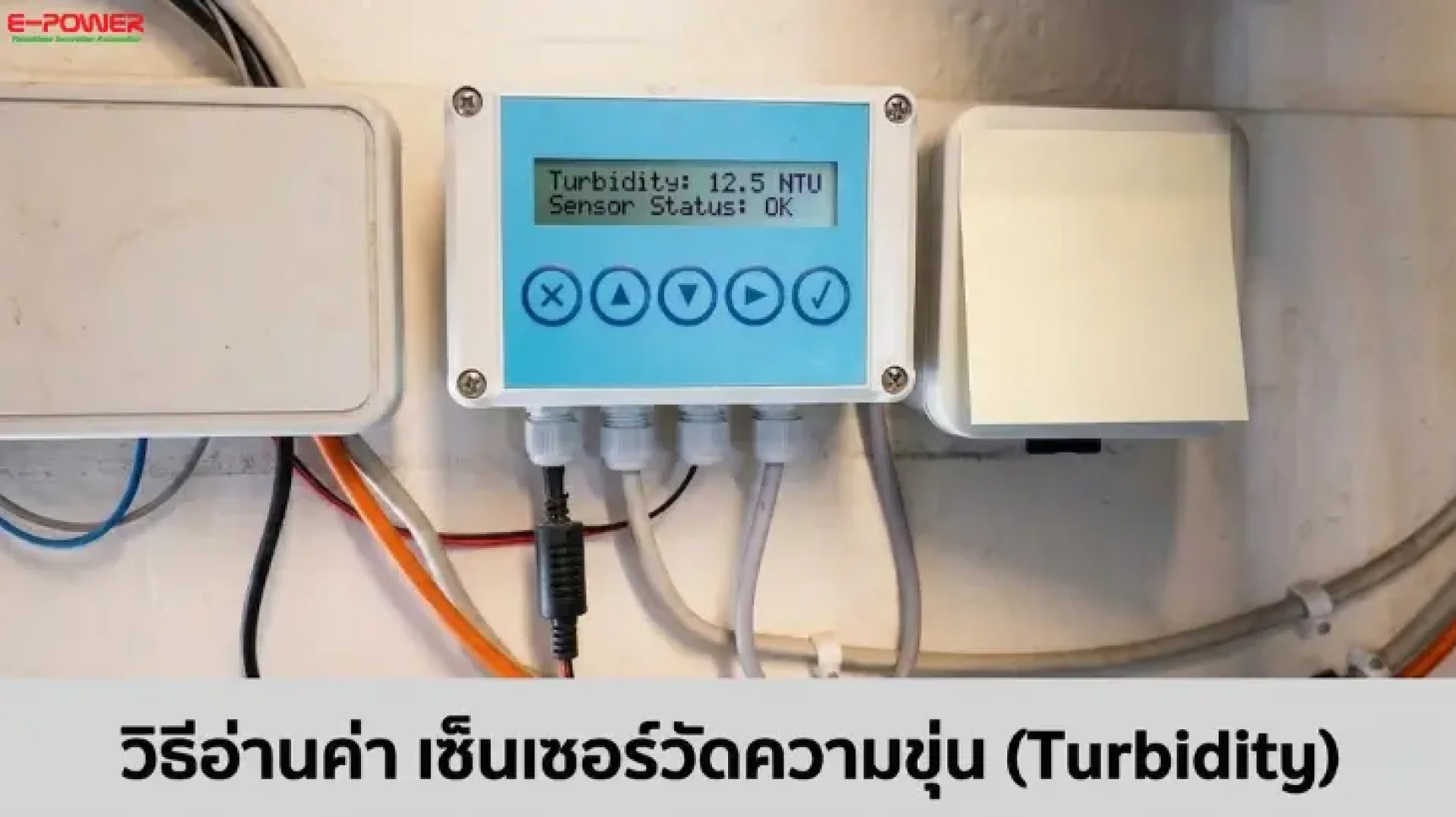
Turbidity is a numerical value indicating the amount of suspended particles in water at a given moment. In wastewater treatment systems or aquaculture (RAS), turbidity is often the first parameter to shift when water quality changes. Choosing an accurate water quality sensor is therefore the key to protecting your production system.
How Does a Turbidity Sensor Work?
The sensor shines infrared light (860 nm) into the water. Various particles such as mud, organic matter, or microorganisms cause the light to scatter. A receiver positioned at a 90-degree angle measures that scattered light. The more the light scatters, the higher the turbidity value, which is measured in NTU.
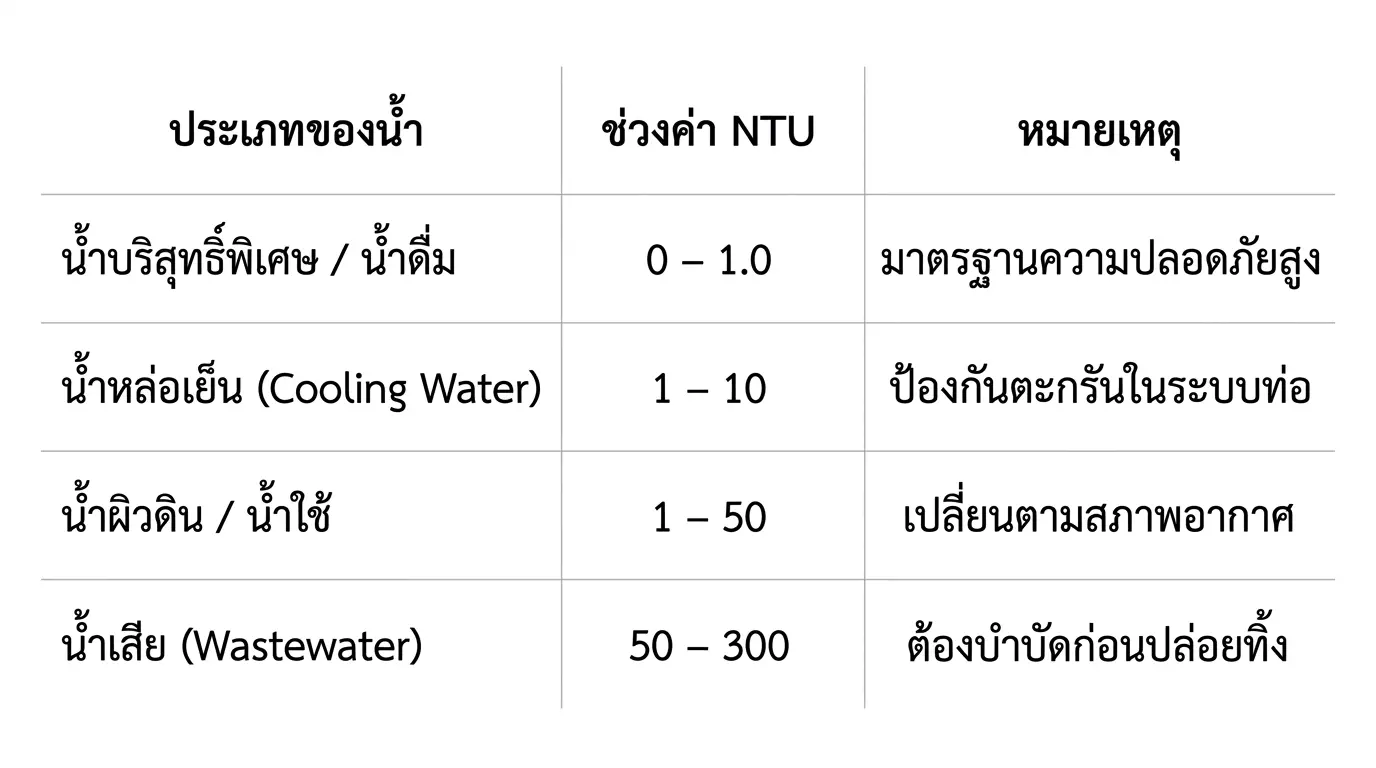
Standard Turbidity Comparison Table
Turbidity Interpretation Techniques: Focus on the Trend
A single number might not tell you as much as a "trend graph." If your normal value is 0.3 NTU and it suddenly jumps to 0.7 NTU, it indicates that the system is starting to experience problems. The most common causes are:
- Sudden spikes: May be caused by air bubbles in the pipe, pump start-ups, or loose sediment breaking free.
- Gradual increases: Often caused by clogging filter media, changes in raw water quality, or stains/fouling starting to form on the sensor lens.
4 Factors That Cause Inaccurate Turbidity Readings
- Neglecting calibration: Sensors used for a long period will experience drift. They should be calibrated regularly to ensure accuracy.
- Film/Fouling on the lens: Oil stains or biofilm will cause NTU readings to be falsely high. You should choose a sensor with an IP68 waterproof standard.
- Air bubbles: Light will scatter when hitting air, resulting in false high readings.
- Vibration: Installation locations that are too close to water pumps can cause signal noise.
Elevating Water Management to the Era of Smart Farms and Industrial IoT
Today, turbidity monitoring doesn't stop at the site. It can be seamlessly integrated with Epower's Automation and Industrial IoT systems:
- Real-time Monitoring: Connect the Turbidity Sensor to a PLC or HMI to view values via a control panel screen.
- Remote Alerts: Use an Industrial IoT Gateway to send data to Ecloud IoT to receive instant LINE notifications when turbidity exceeds industrial wastewater standards.
- Smart Analysis: Automatically save data to Google Sheets to analyze the long-term efficiency of chemicals and filtration systems.
Recommended Popular Equipment from E-power
- Sensors: Leading brands like RIKA SENSOR and SUPMEA, model RK500-07, which are durable and highly accurate.
- Control Systems: Haiwell PLC and Epower PAC MC600, supporting the Modbus RS485 protocol.
- Communication Systems: 4G/5G Industrial Routers for remote farms or large factories.
- Summary: Reading turbidity values is most meaningful when the sensor is properly maintained, and the operator understands the "normal value" of their own system.
Frequently Asked Questions (FAQs)
Q1: What is a good turbidity level for industrial systems?
Drinking water is usually kept below 1 NTU (often around 0.2–0.3 NTU). Boiler feedwater must be below 0.5 NTU. Cooling water is generally between 1 and 10 NTU. For wastewater discharge, many factories typically range from 10–30 NTU.
Q2: Can turbidity indicate microbial contamination?
No. Turbidity cannot identify the type of particle. Microorganisms can increase turbidity, but so can soil or chemical solids. A rising NTU can be a clue to a problem, but you need laboratory testing to confirm.
Q3: How do these sensors connect to automation systems?
Most turbidity sensors transmit 4–20 mA and RS-485 Modbus signals, which PLC and SCADA systems can easily read. This data is used for adjusting chemical dosing amounts, setting filter backwash timers, and triggering alerts.