CODESYS : A Professional Guide to PLC Input/Output (I/O) Status Monitoring
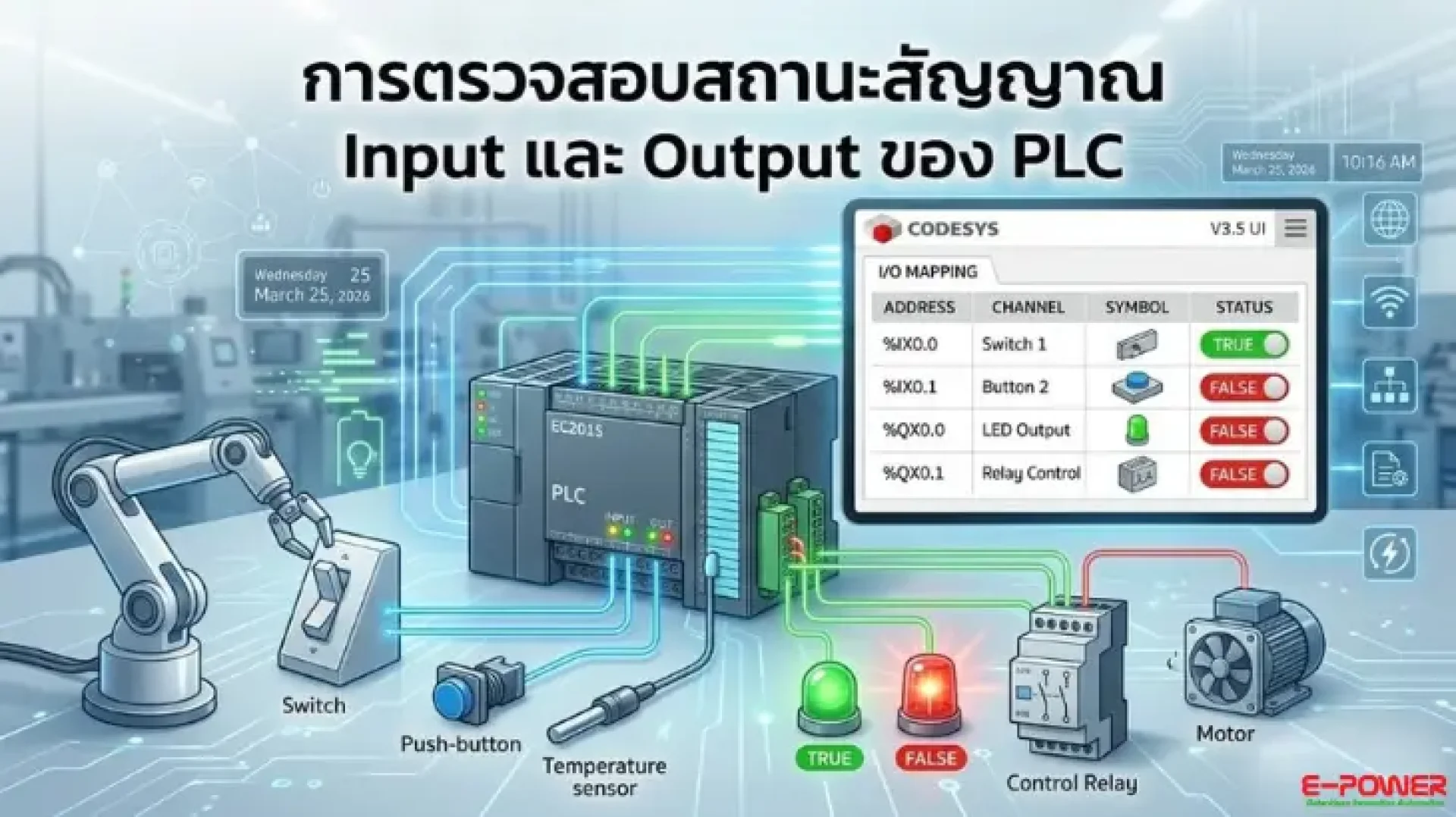
In the world of Automation, verifying the status of PLC Input and Output (I/O) signals is a fundamental and critical step. This process allows engineers and system operators to confirm that the system is receiving and transmitting signals correctly. Not only is this crucial for testing systems before they go live, but it is also the key to effective Troubleshooting and ensuring that machinery functions perfectly. Today, E-Power Service presents a simple guide on how to check PLC I/O status using the globally recognized CODESYS software (demonstrated here with an EC201S PLC). Let’s explore how it's done.
Steps to Check PLC Input/Output (I/O) via CODESYS
- Create a New Project: Open CODESYS and select "New Project."
- Project Settings: Name your project (Change Name) and choose the folder location to save the file.
- Select Device: Choose the specific PLC model you are using (in this example, we use the EC201S PLC).
- Select Programming Language: We recommend starting with a fundamental language like LD (Ladder
- Logic Diagram), which is easy to understand and widely used.
- Connect the PLC: Double-click on the Device menu. You will notice the device is not yet connected. Click the "Scan Network" button to find the PLC in the system. Once found, click OK.
- Configure I/O Mapping: Go to the left menu bar, select LiCoS_BIOM, and then choose BIOM I/O Mapping.
- Expand All Variables: Click the plus (+) symbol to expand and view the status of all I/O Channels.
Enable Variable Updates: In the Always update variables field, change the setting to "Enabled 1". - Online Login: Click the Login button on the toolbar (click Yes to download the program to the PLC), then click the Play button.
- Start Testing: You can now immediately begin checking the status of the PLC Inputs and Outputs. When a signal is input at the PLC unit, you will see the status value (True/False) on the CODESYS software change in real-time.
Once the tests confirm that the inputs and outputs are correct and match your design specifications (All I/O is OK), your PLC is ready for the next stage of machinery control programming.
Join the Automation and CODESYS Community
For those interested in PLC, Automation, and CODESYS, we have a Facebook group where you can exchange knowledge, experiences, and technical tips. Whether you are a beginner or an expert, you are welcome to join the conversation and share your insights. Click here to join the group: [CODESYS AI & Robotics Developer Community]
Contact Us for More Information or Technical Consultation
E-Power Service Co., Ltd. has a team of expert engineers (Sales Engineers) ready to provide consultation, recommend solutions, and support you closely.
Connect with us through all our channels:
- Website : www.epower.co.th
- LINE ID: @epower
- Youtube : Epower Service
- Tiktok : @epowerservice_
- Email : info@epower.co.th
- Phone : 081-559-5145 (Sales Engineer)