CODESYS Guide : How to Create and Configure POU for PLC Programming
CODESYS serves as a leading global software platform for industrial automation and control systems. For engineers beginning their journey in PLC programming, mastering the POU (Program Organization Unit) is essential, as it functions as the core building block for all application logic.
Effective POU management ensures that your automation scripts are modular, easy to debug, and compatible with complex Smart Factory requirements.
Step-by-Step: Creating a POU in CODESYS
To successfully build and run your first program, follow these professional configurations:
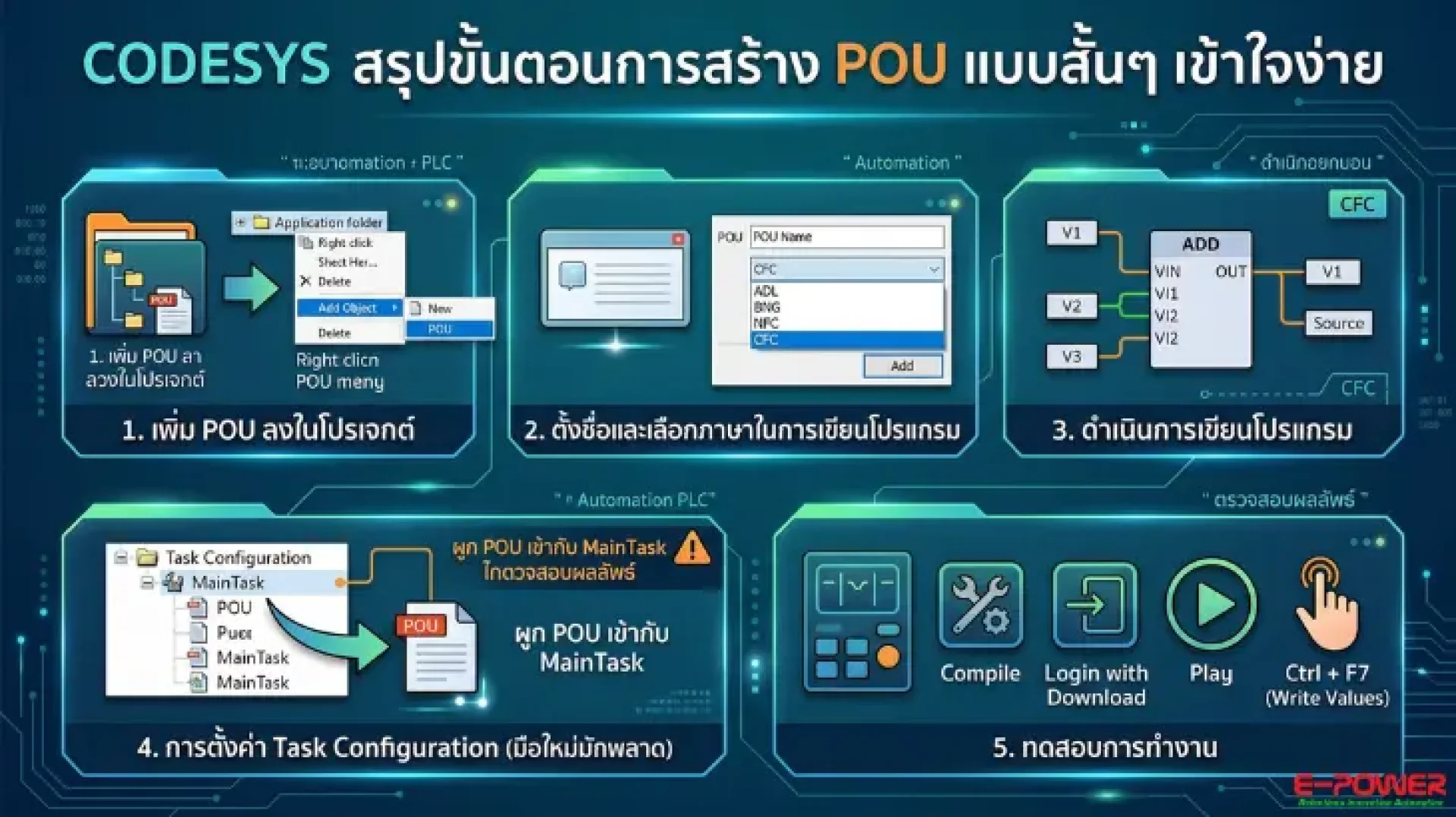
1. Adding the POU Object: Within the CODESYS project tree, navigate to 'Application', right-click, and select Add Object > POU.
2. Selecting Programming Language: Define the POU name and choose your preferred language, such as CFC (Continuous Function Chart), which is ideal for visual box-based logic.
3. Logic Development: Utilize functional boxes to create your control parameters (e.g., mathematical operations or data processing).
4. Task Configuration (Crucial Step): A common error is a program failing to run after a successful login. You must manually drag and drop your created POU into the Task Configuration (MainTask) to ensure the PLC processor executes the code.
5. Testing and Validation: After downloading the code, use the Ctrl + F7 shortcut to write and test values, ensuring your control logic operates accurately.
Why Choose ePower for Your Automation Needs?
At ePower Service, we provide comprehensive support for Industrial Automation and Control Systems. Our team of expert engineers is ready to help you optimize your production lines using advanced CODESYS solutions and high-performance PLC hardware. Explore our full range of services at www.epower.co.th.